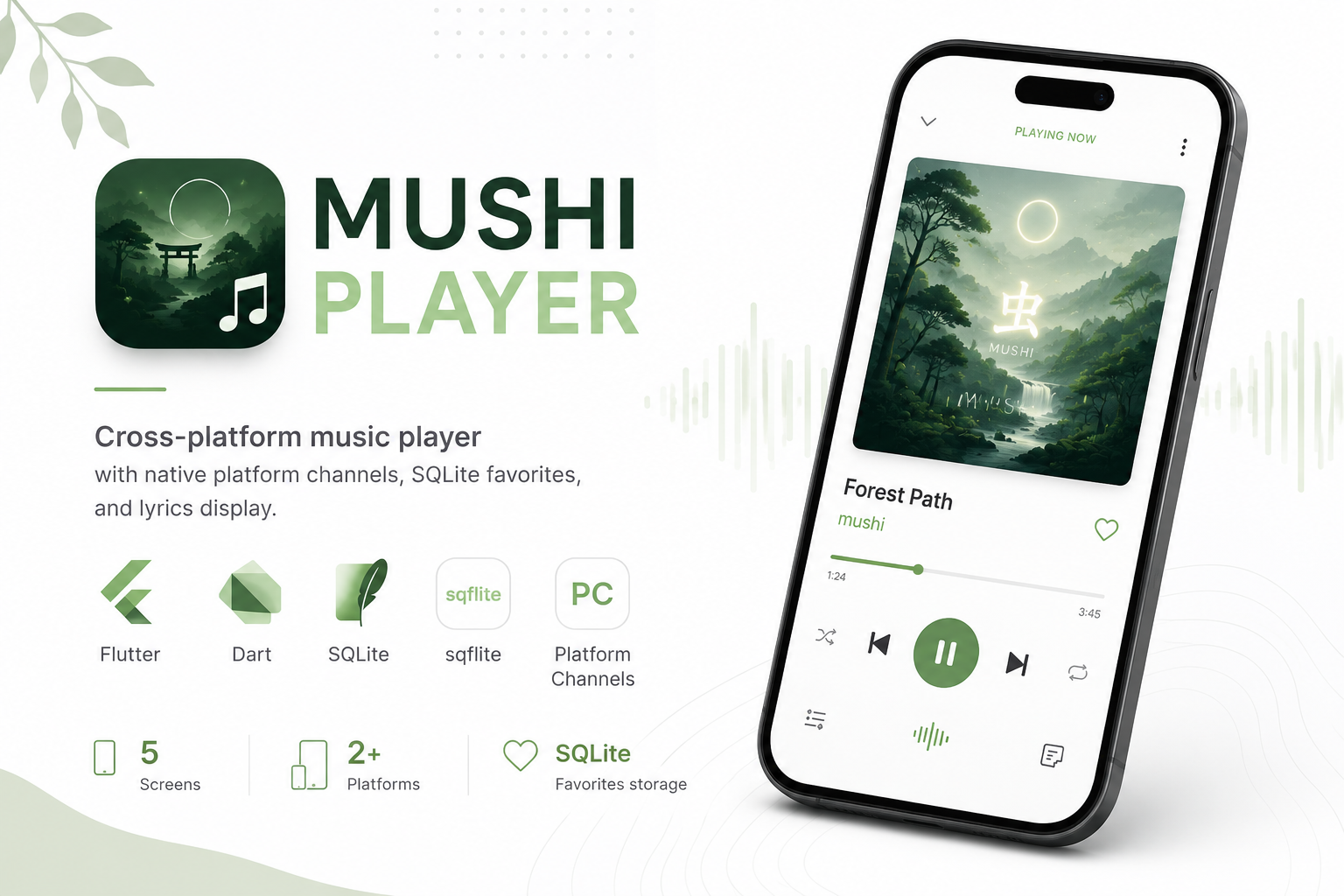
Flutter Music Player
Mobile Developer13 weeksLiveTeam of 1

Flutter Music Player

Cross-platform music player with native platform channels, SQLite favorites, and lyrics display

FFlutterDDartSQLiteSQLiteSsqflitePCPlatform Channels
View LiveSource Code

Project Intelligence

Duration

13 weeks

Technologies

5

Status

Production

Key Challenge

Reliable native platform channel communication for audio control with graceful web fallback

Skills Demonstrated

FlutterMobile DevelopmentSQLitePlatform Channels

TL;DR

Built a Flutter music player featuring native platform service integration, SQLite-backed favorites, song detail screens with lyrics, and a polished splash-to-player transition.

Problem

Learning native-mobile integration patterns beyond basic Flutter widgets

Solution

Platform channels for audio + SQLite repository for persistent favorites

Result

Polished music player with 5 screens and cross-platform support

5

App screens

2

Target platforms

Key Outcomes

5

Screens

2+

Platforms

SQLite

Favorites storage

Curated Visuals

Main player screen
1 / 3

Main player screen

Results & Impact

Functional cross-platform music player demonstrating native integration.

Solid foundation for mobile development portfolio.

5

Screens built

Architecture

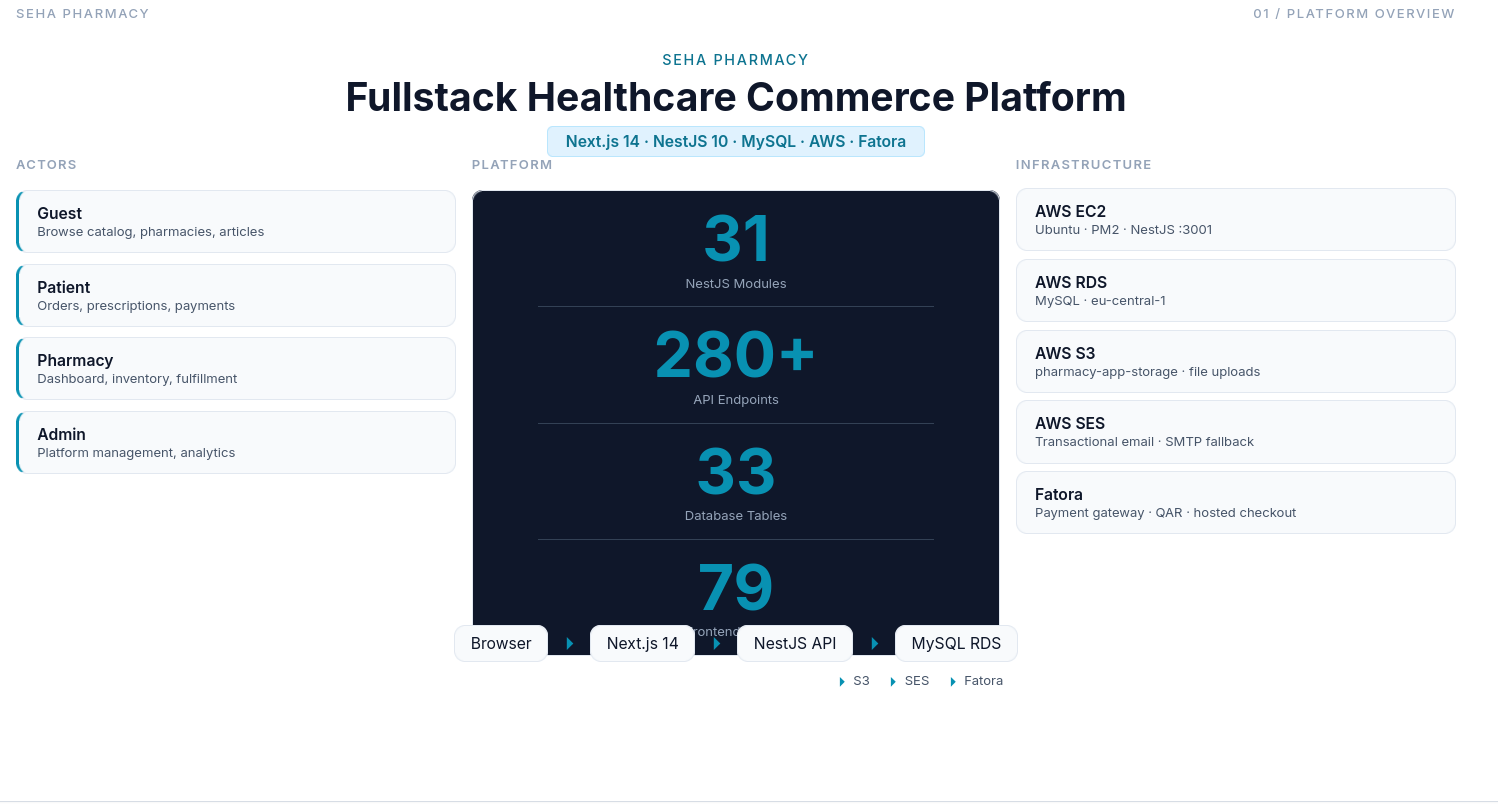
System architecture overview

Standard Flutter architecture with screens, widgets, controllers, repositories, services, and models.

MusicServiceBridge wraps native platform channels for audio. FavoritesController uses repository pattern with SQLiteFavoritesRepository for persistence.

Web platform uses sqflite_common_ffi_web as database factory fallback.

Infrastructure & Deployment

Builds for Android, iOS, and web. No backend server required.

Features

Core

Audio Playback

Native platform channel audio control.

Core

Favorites

SQLite-persisted favorite songs.

Core

Lyrics Display

Song detail screen with lyrics box.

Secondary

Splash Animation

Animated transition from splash to player.

Challenges & Solutions

1

Platform channel initialization

The Problem

Native audio service must initialize before UI renders player controls.

How I Solved It

await MusicServiceBridge.initialize() in main() before runApp().

Future<void> main() async {
  WidgetsFlutterBinding.ensureInitialized();
  await MusicServiceBridge.initialize();
  runApp(const MyApp());
}
2

Web SQLite compatibility

The Problem

sqflite doesn't work on web out of the box.

How I Solved It

Conditional import setting databaseFactory = databaseFactoryFfiWeb when kIsWeb.

if (kIsWeb) {
  databaseFactory = databaseFactoryFfiWeb;
}
3

Favorites state sync

The Problem

Toggling favorites on one screen didn't update other screens.

How I Solved It

FavoritesController with ChangeNotifier shared via Provider at app root.

class FavoritesController extends ChangeNotifier {
  Future<void> toggle(Song song) async {
    await _repo.toggle(song.id);
    notifyListeners();
  }
}

Lessons Learned

  1. 1

    Repository pattern simplifies testing

    InMemoryFavoritesRepository let me test UI without SQLite setup.

  2. 2

    Platform channels need error handling

    Native service calls can fail silently—always wrap in try/catch with user feedback.

  3. 3

    Web SQLite needs FFI

    sqflite_common_ffi_web is required for SQLite on Flutter web targets.

What I'd Do Differently

Add a proper state management solution (Riverpod/Bloc) instead of setState for favorites.